Product case study · Beta
ProcurelyOS turns supplier research into an RFQ-ready workflow.
Procurement teams repeatedly search marketplaces, open supplier sites, copy product context, hunt for public contacts, and rebuild outreach from scratch. ProcurelyOS keeps that work in one private workspace—from brief to shortlist to an approval-gated campaign.
The operational problem
Supplier discovery was disconnected from supplier outreach.
A product result is not yet a procurement lead. An agent still needs the supplier, destination, listed offer, product URL, image, public contact, requirements, and follow-up plan. Repeating that work for every search creates duplicate research and lost context.
The product in use.
These are current ProcurelyOS screens from the public demo workspace. The supplier cards are based on a live, low-cap test run; no customer result is fabricated.
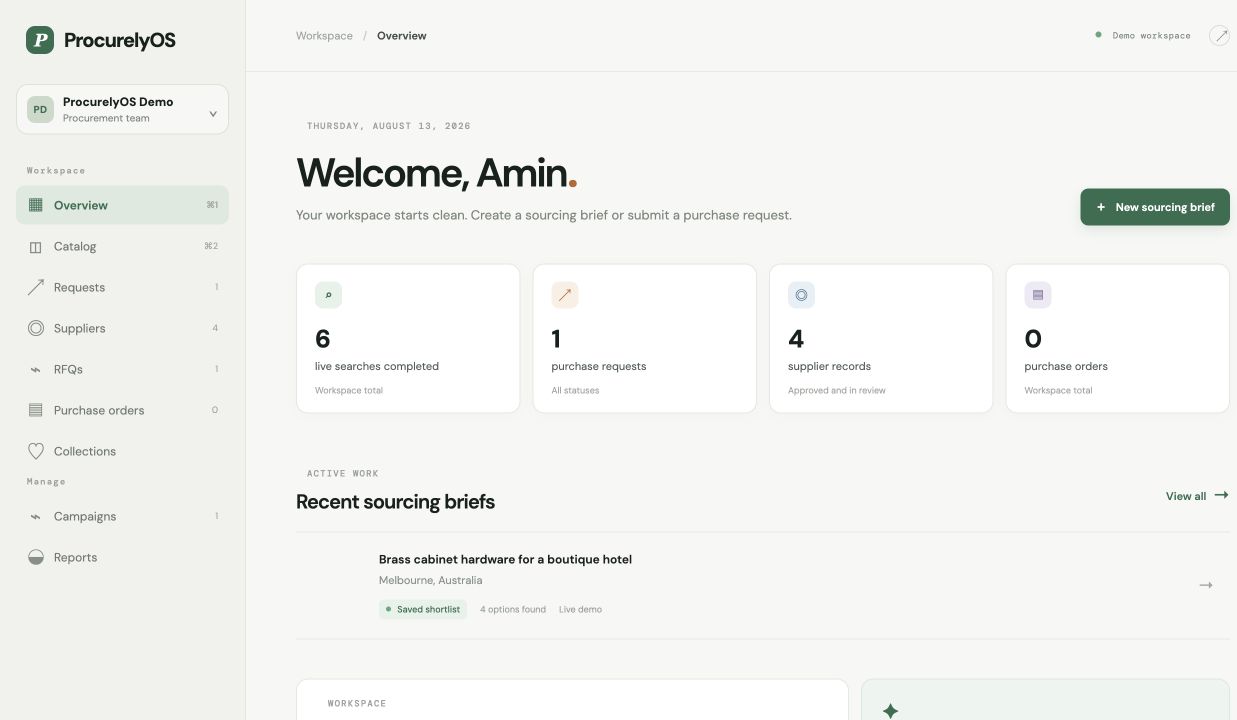
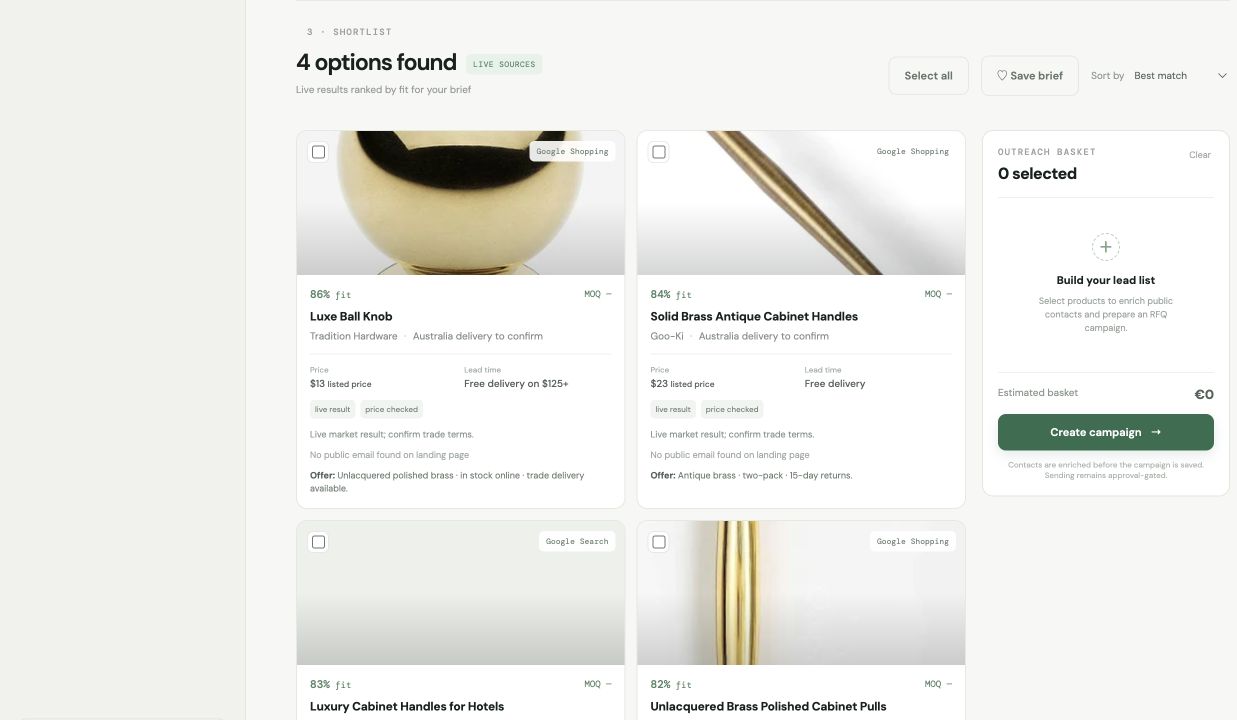
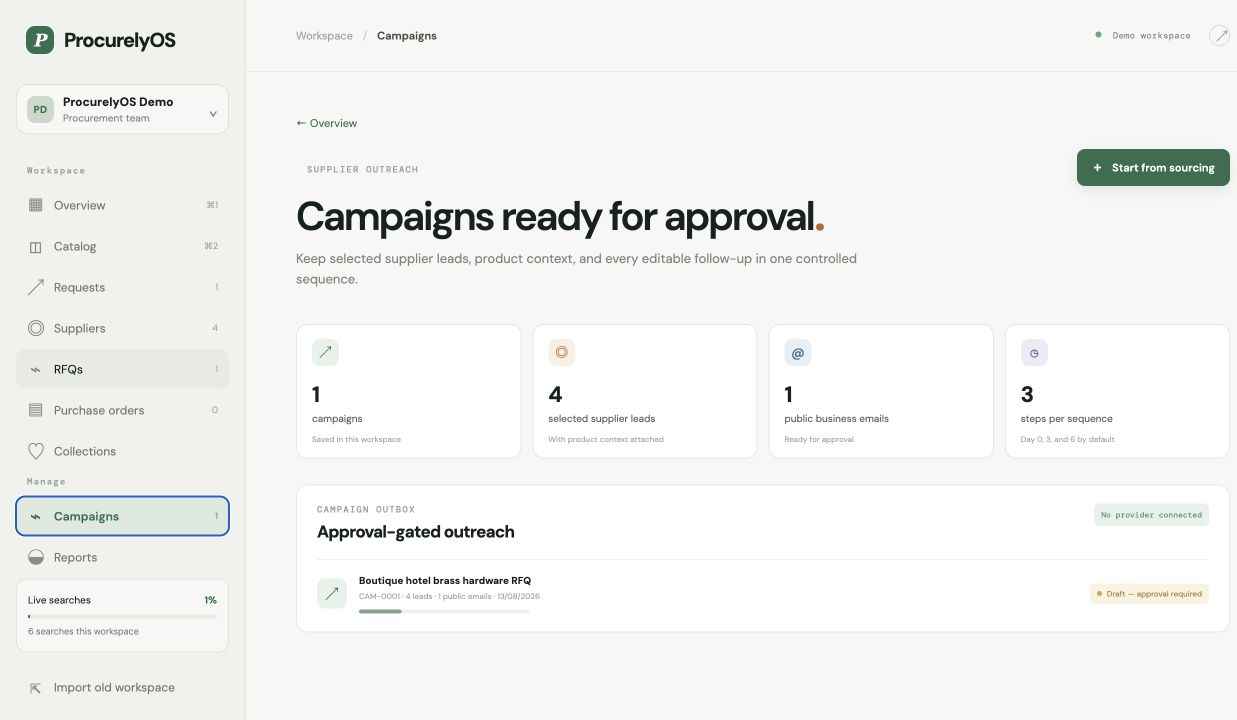
A guided tour of the workflow: describe the requirement, compare supplier options, preserve product context, and prepare an approval-gated outreach campaign.
What was verified.
The beta is presented as working software, not as a claim of customer adoption.
| Capability | Verified behavior | Current boundary |
|---|---|---|
| Live sourcing | Google Shopping and Google Search returned normalized product and supplier records during a capped test; Etsy is integrated in the same source selector. | Marketplace availability and actor schemas can change, so source-level status is surfaced to the user. |
| Contact enrichment | The test found a public supplier email on a commercial landing page and attached it to the lead. | Only publicly available business contacts are retained; many marketplaces intentionally hide seller email addresses. |
| Country targeting | Supplier-country and delivery-location inputs are routed into supported actor requests and saved with the brief. | Country is a search constraint, not proof of supplier location; agents must verify geography and trade terms. |
| Persistence | Accounts, private workspaces, saved briefs, suppliers, RFQs, and campaigns persist on Vercel. | The public demo is intentionally read-only and uses representative workspace data. |
| Outreach | Campaign records include selected leads, product links, image URLs, requirements, and editable Day 0/3/6 follow-ups. | No provider is connected in the demo; external sending is blocked until configured and approved. |
From one requirement to controlled outreach.
The workflow is deliberately short so procurement agents do not have to rebuild context in another tool.
Describe
Enter the item, quantity, finish, timing, delivery location, and preferred supplier country.
Discover
Choose live sources and a result cap; ProcurelyOS normalizes options into one shortlist.
Select
Select all or individual suppliers, enrich public contacts, and preserve product context.
Approve
Review the campaign, edit the three emails, connect a provider, and approve sending.
Try the workflow
Open ProcurelyOS with a complete demo workspace.
No signup is required for the demo. Create an account when you want to run a new live supplier search and save your own procurement data.